InMail on LinkedIn premium messaging feature that lets you contact any member outside your network — including 2nd and 3rd-degree connections — without needing to connect first. It requires a paid plan (Premium, Sales Navigator, or Recruiter Lite), costs one credit per message, and LinkedIn refunds the credit if the recipient accepts, responds to, or declines your message within 90 days. Response rates average 18–25%, compared to 3–5% for cold email.
That's the short version. Now let's get into the details — because how you use InMail matters just as much as whether you have access to it.
Here's the simple version.
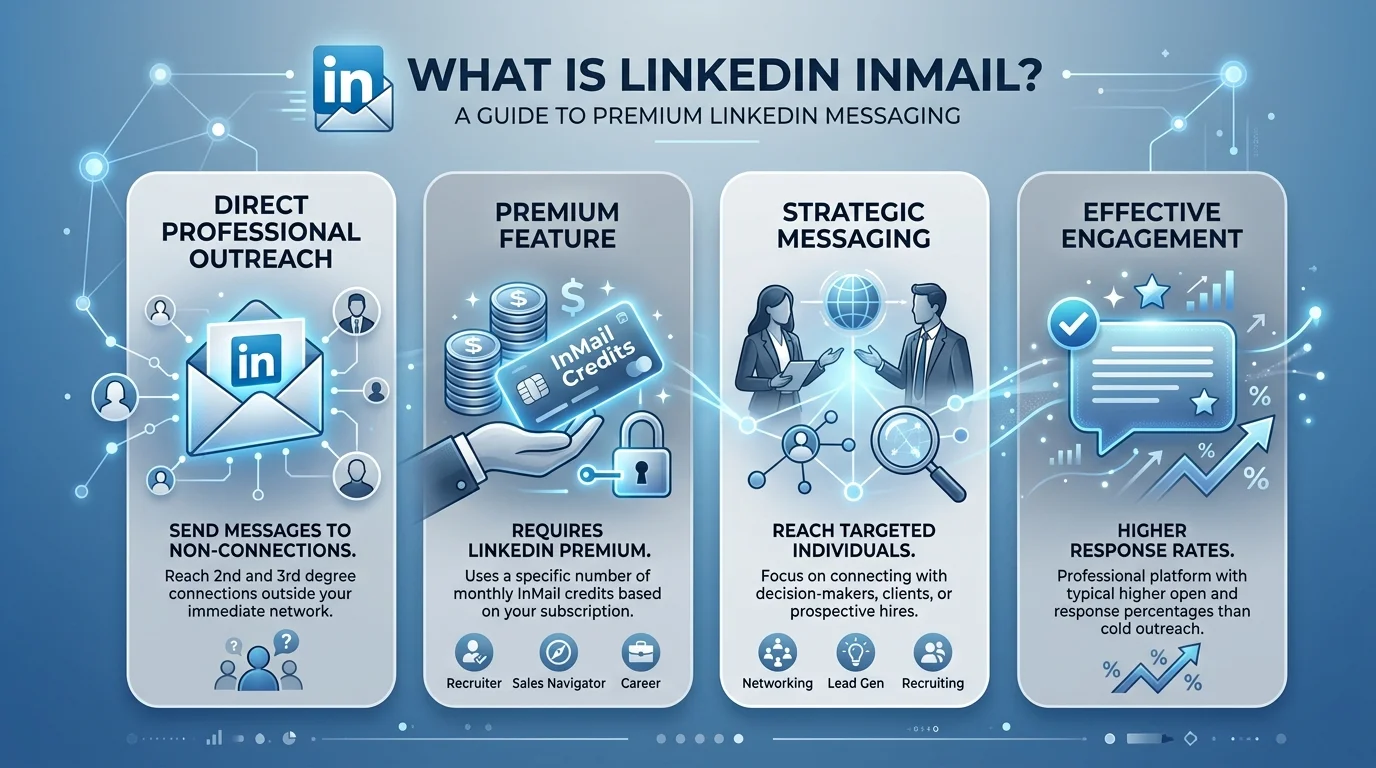
InMail is a premium messaging feature that lets you message someone on LinkedIn even if you're not connected to them.
Normally, LinkedIn's standard messaging only lets you talk to your 1st-degree connections — people who've already accepted your invite. If you want to reach a 2nd-degree connection or a 3rd-degree connection, you're stuck waiting on a connection request.
InMail skips that wait entirely. You pay for access through a LinkedIn Premium plan, and in exchange, you can message recruiters, CEOs, or hiring managers directly — no mutual connection required. If you're still weighing which paid tier makes sense for your goals, this breakdown of LinkedIn Premium cost is a good next stop.
Before you decide how to reach out, it helps to see all three outreach options side by side.
Feature | Standard Message | Connection Request | InMail |
|---|---|---|---|
Who you can reach | 1st-degree connections only | Anyone (pending acceptance) | Anyone, no connection needed |
Cost | Free | Free, unlimited | Requires paid plan + credit |
Avg. response rate | High (existing relationship) | Varies by acceptance rate | 18–25% |
Best use case | Ongoing conversations | Building your network | Reaching decision-makers fast |
Credit refunded? | N/A | N/A | Yes, if engaged within 90 days |
If your prospect is a 2nd-degree connection and you're not in a rush, a connection request is free and often just as effective. Save your InMail credits for people you genuinely can't reach any other way.
The core advantage is trust. InMail shows up inside LinkedIn — a platform people already use for their careers — with your full profile visible. It doesn't feel like spam. It feels like a real professional reaching out.
According to LinkedIn's own recruiter data, that context translates into real numbers: InMail response rates sit at 18–25%, versus roughly 3–5% for cold email. That's a 300-500% improvement in the channel most outreach professionals already rely on.
Not all InMail is created equal.
Standard InMail is the classic version — you've got a Premium subscription, you've got credits, and you send a direct message to anyone outside your network.
Sponsored InMail is part of LinkedIn's advertising platform. Businesses use it to send targeted, ad-style messages straight into a user's inbox.
Message Ads work similarly but show up labeled "Sponsored" instead of "InMail." Recipients can't reply directly — they click a call-to-action button instead. These are built for top-of-funnel awareness, not conversation.
Three tools, three different jobs. Pick the one that matches your goal.
Your InMail credit allowance depends on your subscription tier.
Plan | Monthly Credits | Rollover Cap |
|---|---|---|
Premium Career | 5 | 15 |
Premium Business | 15 | 45 |
Sales Navigator Core | 50 | 150 |
Recruiter Lite | 30 | 120 |
Unused credits roll over up to those caps, so skipping a month doesn't waste your allowance — it stacks up. Not sure which plan actually fits your use case? This comparison of LinkedIn Premium vs. Sales Navigator breaks down which tier makes sense for outreach versus general networking.
LinkedIn also refunds your credit if the recipient accepts, responds to, or declines your InMail within 90 days. Only messages that go completely ignored eat into your budget permanently.
Here's a number most guides skip: your effective cost per response.
As of October 2025, LinkedIn raised the price of extra InMail credits from $3 to $21 per credit, according to Salesflow. At a 20% response rate, that works out to roughly $105 per reply if you're buying credits above your plan's allowance. At a poorly-optimized 5% response rate, that same math balloons to $420 per reply.
That gap is the entire argument for message quality. Optimizing your InMail isn't a nice-to-have — it's the difference between a channel that pays for itself and one that quietly drains your budget.
Step 1: Keep it short. InMails under 400 characters get a 22% higher response rate than average, per LinkedIn's talent blog. Messages over 1,200 characters underperform by 11%.
Step 2: Nail the subject line. Aim for something specific and short — Skrapp's research points to subject lines under 8 words performing best.
Step 3: Personalize every message. Personalization can boost response rates by roughly 40%, according to LinkedIn's own data. Reference a recent post or company news — not just their name.
Step 4: Time it right. Friday and Saturday sends underperform. Tuesday and Thursday mornings tend to work best, based on outreach benchmarking data.
Step 5: Warm up first when you can. Follow the company and engage with their posts before sending. People who already follow your company are far more likely to reply, per Tribal Impact.
Is LinkedIn InMail free?
No. InMail requires a paid LinkedIn Premium, Sales Navigator, or Recruiter Lite subscription. The only exception is messaging "Open Profile" members, which is free even on a Basic account.
How many InMail messages can I send per month?
It depends on your plan — anywhere from 5 credits (Premium Career) to 50 credits (Sales Navigator Core). Unused credits roll over up to a set cap.
Do InMail credits expire?
They don't expire outright, but they only roll over up to your plan's cap — extra credits beyond that cap are lost.
What's a good InMail response rate?
Average performance sits at 18–25%. Anything above 30% is considered elite, according to industry benchmarking data.
Should I use InMail or a connection request?
Use a connection request first if the prospect is within your 2nd-degree network or you're not in a rush — it's free. Reserve InMail for high-priority contacts you can't reach any other way.
If you're in sales, recruiting, or business development and you're relying only on connection requests, you're leaving opportunities on the table.
InMail gives you a direct, high-trust channel into inboxes that are otherwise closed off. It costs money, but at an 18-25% response rate, even a modest Premium Career plan's 5 monthly credits can open real doors — as long as you follow the tactics above.
The people who win at LinkedIn outreach aren't the ones with the biggest budgets. They're the ones who write short, personal, well-timed messages consistently. That could be you, starting with your next message.

Emma Lawson writes about SaaS growth, startup marketing, and the AI tools changing how modern teams build pipelines. She is especially focused on how founders and sales professionals can use LinkedIn for customer acquisition and brand visibility.
AIReplyBee is your AI-powered LinkedIn reply generator that helps you create authentic, engaging responses in seconds.
Generate your first replyWhat is a collaboration post? Learn how Instagram collab posts work, why they boost reach, and how to set one up step-by-step.
Learn how to use ChatGPT effectively with the PTCF framework, 7 practical steps, and a real before/after example that actually works.