To use ChatGPT effectively, give it clear, specific instructions using a structured framework like PTCF (Persona, Task, Context, Format), break big requests into smaller subtasks, ask follow-up questions to refine the output, and always fact-check anything factual it gives you. Do this consistently, and you'll get dramatically better results than 90% of users who just type a one-liner and hope for the best.
I'll be honest with you — most people are using ChatGPT completely wrong.
They type in a lazy one-liner, get a mediocre answer, and walk away thinking "AI is overhyped."
But the problem isn't the tool. It's the input.
Below, I'll walk you through exactly how to fix that — step by step, with a real example, a comparison table, and answers to the questions people ask most.
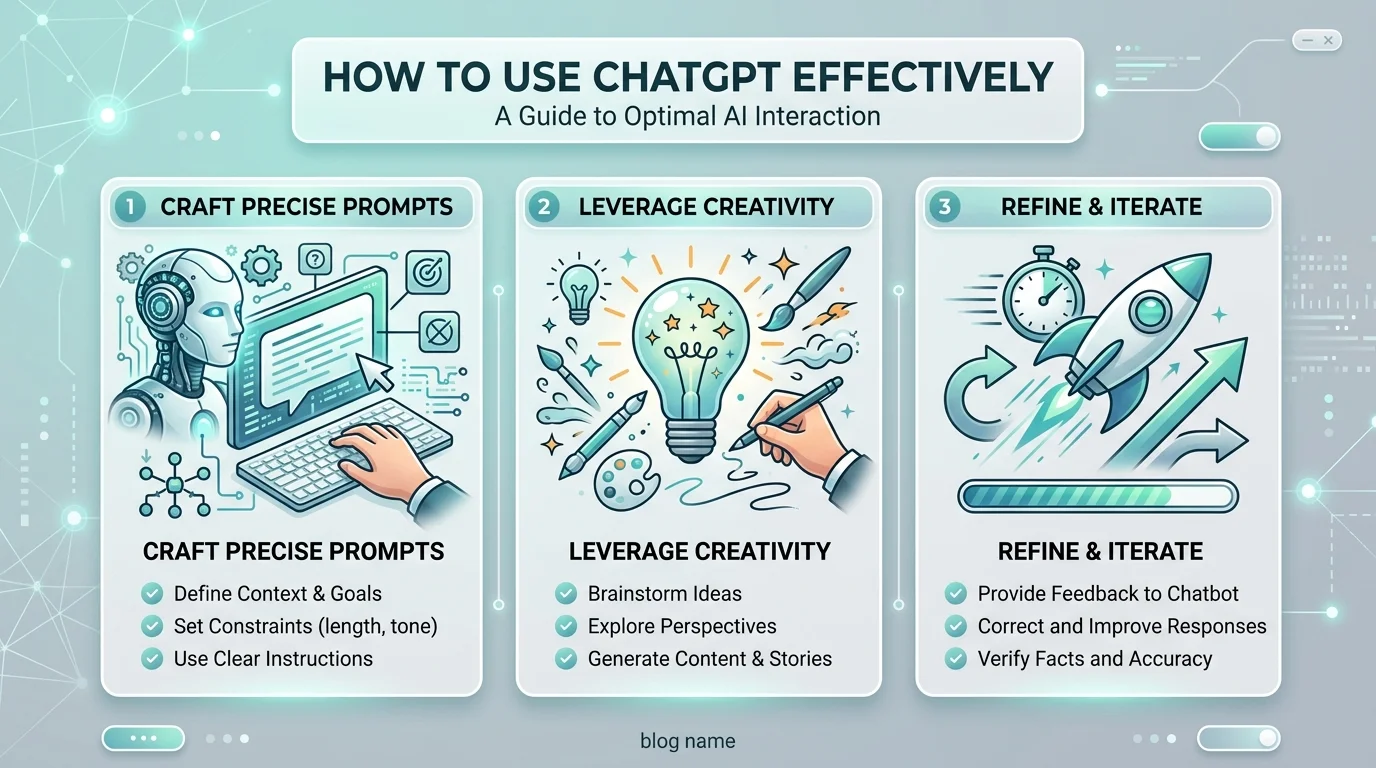
Using ChatGPT effectively doesn't mean memorizing secret hacks. It means giving the model clear and specific instructions — the same way you'd brief a new employee on their first day.
Would you hand someone a vague task and expect a perfect result? No. Same logic applies here.
According to OpenAI's own prompt engineering guidance, prompt engineering is an iterative process — you write, you review, you refine. It's not one-and-done.
If your first prompt flops, don't panic. Tweak it and try again.
(If you use ChatGPT specifically for professional networking, check out our guide on using ChatGPT for LinkedIn for platform-specific prompt examples.)
I used to just type whatever came to mind. Big mistake.
Once I started using a structured framework, my results improved almost instantly.
The one gaining serious traction in 2026 is PTCF — short for Persona, Task, Context, and Format. It's outlined in this breakdown from Expandi and echoed in Blaze's prompting guide.
Here's how it breaks down:
Persona — Tell ChatGPT who to be. A copywriter? A career coach? A blunt editor?
Task — What exactly do you want done? Be specific.
Context — Why does this matter? Who's the audience? What's the goal?
Format — How should the output look? Bullets? A table? Three sentences max?
Here's an actual before/after I tested myself.
Before (vague prompt):
"Write about email marketing."
Result: A generic, 400-word overview covering things I already knew. Not usable.
After (PTCF prompt):
"You are an experienced email marketer. Write a 3-sentence subject line strategy for a Black Friday sale targeting busy small business owners. Format it as a numbered list."
Result: Three punchy, ready-to-use subject line angles, tailored to the exact audience I specified — no editing needed.
Same topic. Completely different output quality. That's the power of structure.
You can tell ChatGPT to slow down and reason through a problem — and it noticeably improves the output.
This is one of the six core prompting strategies laid out in OpenAI's official API documentation:
Write clear instructions
Provide reference text
Split complex tasks into subtasks
Give the model time to think
Use external tools
Test changes systematically
Most beginners only ever use the first one. Apply all six, and you'll be ahead of the majority of ChatGPT users out there.
Don't ask ChatGPT to "write my whole business plan" in one shot.
Instead, break it down:
Ask for the executive summary first
Then the market analysis
Then the financial projections
Small bites. Cleaner results. Less back-and-forth.
This mirrors advice from Analytics Vidhya's beginner guide, which flags breaking down complex problems as one of the most crucial habits for better answers.
The more context you provide, the sharper the response.
M1-Project's guide makes a great point here — instead of asking "Tell me about the climate," ask "How does climate change affect agriculture from a small farmer's perspective?"
That single shift — adding a perspective or angle — changes the depth of the answer completely.
Most people treat ChatGPT like a vending machine. Type a request, take whatever pops out, move on.
The real gains happen in the back-and-forth. Ask it to:
Make the tone more casual
Shorten it to 100 words
Add a real-world example
Rewrite it as a numbered list
This is iterative prompting — the fastest way to go from "okay" output to genuinely great output.
ChatGPT sometimes makes things up. Confidently. This is called AI hallucination, and it's a documented limitation across every major model — not just ChatGPT.
Expandi's 2026 guide is blunt about it: always verify specific claims, stats, and quotes before you publish or act on them.
Rule of thumb: if a number, name, date, or quote sounds important, double-check it. Every time.
Not every task needs the same "brain."
Model Type | Best For | Behaves Like |
|---|---|---|
Reasoning model (e.g., GPT-5.4 Thinking) | Complex, open-ended tasks | A senior co-worker — give it a goal, trust it to work out details |
Instant model (e.g., GPT-5.3 Instant) | Quick, simple, well-defined tasks | A junior co-worker — needs explicit, step-by-step instructions |
Match the model to the task, and you'll save yourself unnecessary back-and-forth. If you want ready-made prompts for a specific use case, our post on the best AI email generator walks through the same PTCF approach applied to inbox writing.
✅ Define a persona for ChatGPT to adopt
✅ State the exact task, not a vague topic
✅ Add context — audience, goal, tone
✅ Specify the output format
✅ Break big requests into smaller subtasks
✅ Ask follow-up questions to refine
✅ Fact-check anything factual before using it
✅ Choose the right model for the complexity of your task
Is ChatGPT free to use effectively, or do I need to pay?
You can get solid results on the free tier if you apply the PTCF framework and iterate on prompts. Paid plans (Plus and above) unlock manual model selection and more advanced reasoning models, which help with complex, multi-step tasks.
What's the best ChatGPT model for writing content?
For most writing tasks, a reasoning-focused model (like GPT-5.4 Thinking) handles nuance and structure better. For quick edits or short-form copy, an instant model is faster and usually sufficient.
How do I stop ChatGPT from giving vague answers?
Add context and format instructions. Vague prompts produce vague results — specify the audience, tone, length, and structure you want.
Can I trust ChatGPT's facts and statistics?
Not without checking. AI hallucination is a known issue — always verify names, dates, numbers, and quotes against a reliable source before using them.
What is the PTCF framework?
PTCF stands for Persona, Task, Context, Format — a four-part structure for writing prompts that consistently produce clearer, more usable output.
ChatGPT isn't magic. It's a tool — and it's only as good as the person using it.
Start treating your prompts like actual instructions: clear, structured, specific. You'll notice the quality of your outputs jump almost overnight.
Open a fresh chat, apply the PTCF framework, give it room to think, and see the difference for yourself.

Rachel Stanton is a tech writer who specialises in AI productivity tools for busy professionals. He tests and reviews the latest AI software so you can make smarter decisions about where to invest your time and money.
AIReplyBee is your AI-powered LinkedIn reply generator that helps you create authentic, engaging responses in seconds.
Generate your first replyWhat is a collaboration post? Learn how Instagram collab posts work, why they boost reach, and how to set one up step-by-step.
InMail on LinkedIn lets you message anyone, even outside your network. See how it works, pricing, credits, and tips to boost replies.