A collaboration post (or "collab post") is a single Instagram feed post or Reel that appears simultaneously on up to six profiles at once — the original creator plus up to five invited collaborators. Both usernames show up as co-authors, and all engagement (likes, comments, saves, shares) gets combined and shared across every account involved. It's different from tagging or reposting because the content actually lives on every collaborator's grid, not just in a Story or a mention.
Now let's dig into how it actually works, why it matters, and how you can set one up today.
Okay, first things first.
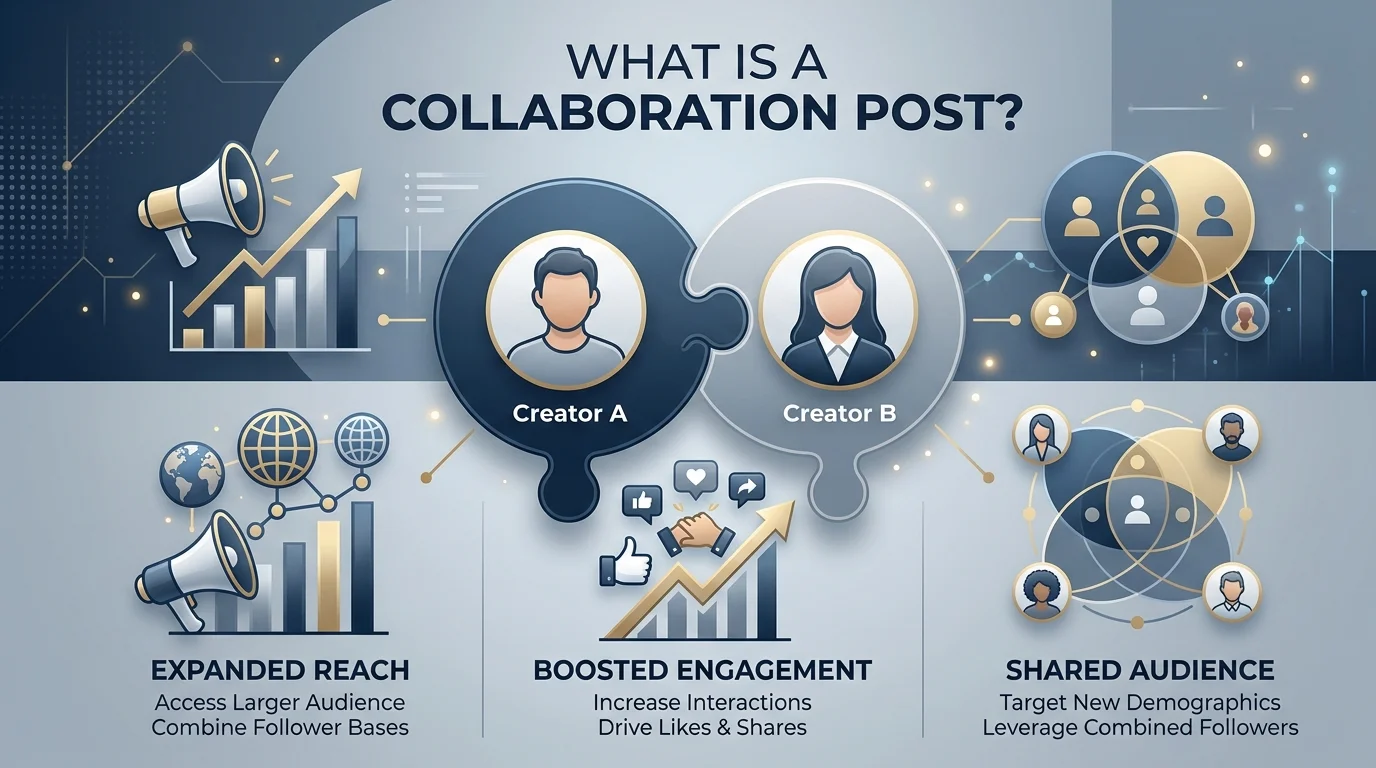
A collaboration post is a single piece of content — a feed post or a Reel — that shows up on more than one Instagram profile at the exact same time.
Not a repost. Not a screenshot. Not a "check the link in bio."
The actual, literal same post.
Both usernames appear at the top like co-authors. And all the engagement metrics — likes, comments, saves, shares — get combined and shared across every account involved.
Pretty wild, huh?
Think of it this way: instead of hoping someone shares your content to their Stories (where it disappears in 24 hours, ugh), a collab post lives permanently on both grids. Forever. Well, until you delete it.
By the way, if you're running paid campaigns alongside organic collabs, it's worth pairing this with our guide on Facebook and Instagram Stories ads — since Stories ads and collab posts work really well together in a full-funnel strategy.
You might be wondering how this actually stacks up against the other ways people "share" content on Instagram. Here's a quick side-by-side so you can see the difference at a glance:
Feature | Collaboration Post | Tagging | Reposting |
|---|---|---|---|
Appears on both grids | Yes | No (only a tag notification) | Yes, but as duplicate content |
Shared engagement metrics | Yes, combined | No | No, separate counts |
Risk of algorithm suppression | Low | Low | High — duplicate content can get flagged and suppressed |
Requires acceptance | Yes | No | No |
Available on Stories | No | Yes | Yes |
Max accounts involved | Up to 6 (as of 2026, per Kontentino) | Unlimited mentions | N/A |
As you can see, the collab post is really the only option that gives you true shared ownership and avoids the algorithm penalty that comes with posting duplicate content.
Honestly? It solves a real problem.
Before Collabs existed, brands and creators used to post the same content on two separate accounts to fake a partnership. But Instagram's algorithm caught onto that trick fast — and here's the kicker: Instagram actually flags and suppresses duplicate content, which tanks your reach.
Nobody wants that.
So Instagram launched the Collabs feature in late 2021 to fix this mess, according to Planoly. And by 2026, it's evolved into something way bigger than a nice little add-on — it's become a core part of any serious social media strategy.
Let me break this down step-by-step, because I know the mechanics can feel a little fuzzy at first.
Someone — let's call them the "original creator" — builds the post like normal. Photo, caption, hashtags, the whole nine yards.
Instead of just tagging a friend or a brand, they add them as an official collaborator. This can be done for feed posts and Reels — though sadly, not for Stories (yet, at least).
Here's the part people always miss: the invited account has to say yes. If they decline, the post never touches their profile.
But once they hit accept? Boom. The post appears on both grids instantly.
This is where the magic happens.
Both audiences see the post. Both sets of followers can engage with it. And all of that engagement gets pooled into one unified number, visible to everyone watching.
As of 2026, up to five collaborators can be added to a single post — meaning your content could theoretically show up on six different profiles simultaneously.
Six.
Sit with that for a second.
I'll be straight with you — not every feature Instagram rolls out is worth your time. But this one? This one's different.
Here's why.
When you collaborate with someone, Instagram doesn't just show your post to your followers — it shows it to theirs too. That's an instant, built-in audience expansion you don't have to pay for.
Instagram's algorithm actively rewards genuine partnerships. And authenticity is a signal the algorithm loves, according to Hootsuite's 2026 guide — because it tells Instagram real humans are engaging with real relationships, not just ads.
When your brand shows up next to a trusted creator, that's an instant trust transfer. Your audience sees the partnership and thinks, "okay, these two vouch for each other." This is the same trust-transfer principle behind personal branding strategies on LinkedIn — the platform is different, but the psychology behind why partnerships build credibility is identical.
You don't need a certain follower count. You don't need to pay anyone. You just need someone willing to hit "accept."
Honestly, what's not to love here?
Let me give you a couple of examples, because I always trust real proof over theory.
Lunchskins, the eco-friendly food storage brand, teamed up with an influencer to showcase its product in action through a collab post — putting the brand directly in front of a brand-new, highly engaged audience, per Shopify's case study.
And then there's Our Place, the cookware brand. They didn't just do a regular influencer shoutout — they co-developed an entire limited-edition product line with influencer Radhi Devlukia-Shetty and launched it through a collab post that reached millions of users, according to Shopify.
Millions. From one post.
That's not luck. That's strategy.
You don't have to guess what kind of collab to run. There are proven formats already crushing it:
Classic partnership, huge reach potential. Works best when the influencer's audience overlaps with your target customer.
Two content creators pooling audiences — usually the least "salesy" feeling option, which makes it great if you're just starting out.
Two companies aligning for mutual growth, often around a shared value or complementary product.
Inviting real customers to co-create — turns genuine experiences into powerful, low-cost social proof.
Pooling audiences for a shared prize campaign — great for fast follower growth in a short window.
Alright, let's make this practical.
Open Instagram and start creating your post or Reel like usual.
Tap the option to add a collaborator (you'll see it in the same menu where you'd normally tag someone).
Search for the account and send the invite.
Wait for them to accept — you'll get a notification once they do.
Once accepted, the post publishes to both grids automatically.
That's it. Five steps. No technical wizardry required.
Now, here's something nobody tells you upfront: once you're running multiple collab campaigns across multiple partners, things get chaotic fast.
Scheduling conflicts. Missed invites. No clear analytics on what's actually driving ROI.
This is exactly why tools like Sked Social exist — they let you plan, schedule, and analyze your collab posts from one dashboard instead of juggling five different apps and a messy spreadsheet.
No. As of 2026, collab posts are only available for feed posts and Reels — Stories still rely on regular tagging.
Not necessarily, but if their account is private, only their existing followers who overlap with yours will see the post — so a public account maximizes reach.
The original creator remains the post's primary author. If either party blocks the other, the collaboration ends automatically, per Soundstripe.
Yes. Invited collaborators can remove themselves at any time, and the original creator can remove collaborators too.
No. There's no fee and no minimum follower count required — just an accepted invite.
Up to five collaborators can be added, meaning the post can appear on six profiles total (the creator plus five others), as of 2026.
Look, collaboration posts aren't some passing trend. They're baked into how modern brands and creators grow on Instagram now.
You get more reach. More engagement. More trust. All without spending a dime on ads.
So next time you're planning content, ask yourself: who could I team up with on this?
Because that one question might just double your reach overnight.

Daniel Harper is a B2B marketing consultant who helps professionals and founders grow their LinkedIn presence through smart engagement strategies. He writes about AI tools, reply tactics, and building authentic professional networks that actually convert.
AIReplyBee is your AI-powered LinkedIn reply generator that helps you create authentic, engaging responses in seconds.
Generate your first replyInMail on LinkedIn lets you message anyone, even outside your network. See how it works, pricing, credits, and tips to boost replies.
Learn how to use ChatGPT effectively with the PTCF framework, 7 practical steps, and a real before/after example that actually works.