LinkedIn does not have a customer service number. Every support interaction runs through the LinkedIn Help Center ticketing system, the AI help assistant, Premium live chat, or @LinkedInHelp on X. Any website offering a LinkedIn support phone number — especially for a fee — is not affiliated with LinkedIn.
You typed "LinkedIn customer service number" into Google. I know exactly why. Something broke — your account got restricted, a charge showed up, someone's impersonating you — and you want a human on the phone.
Here's the thing I need to tell you before you scroll another inch.
That number doesn't exist.
Not "it's hard to find." Not "it's hidden behind a paywall." It does not exist. And the numbers you'll find on page one? Some of them are traps.
Let me show you what to do instead.
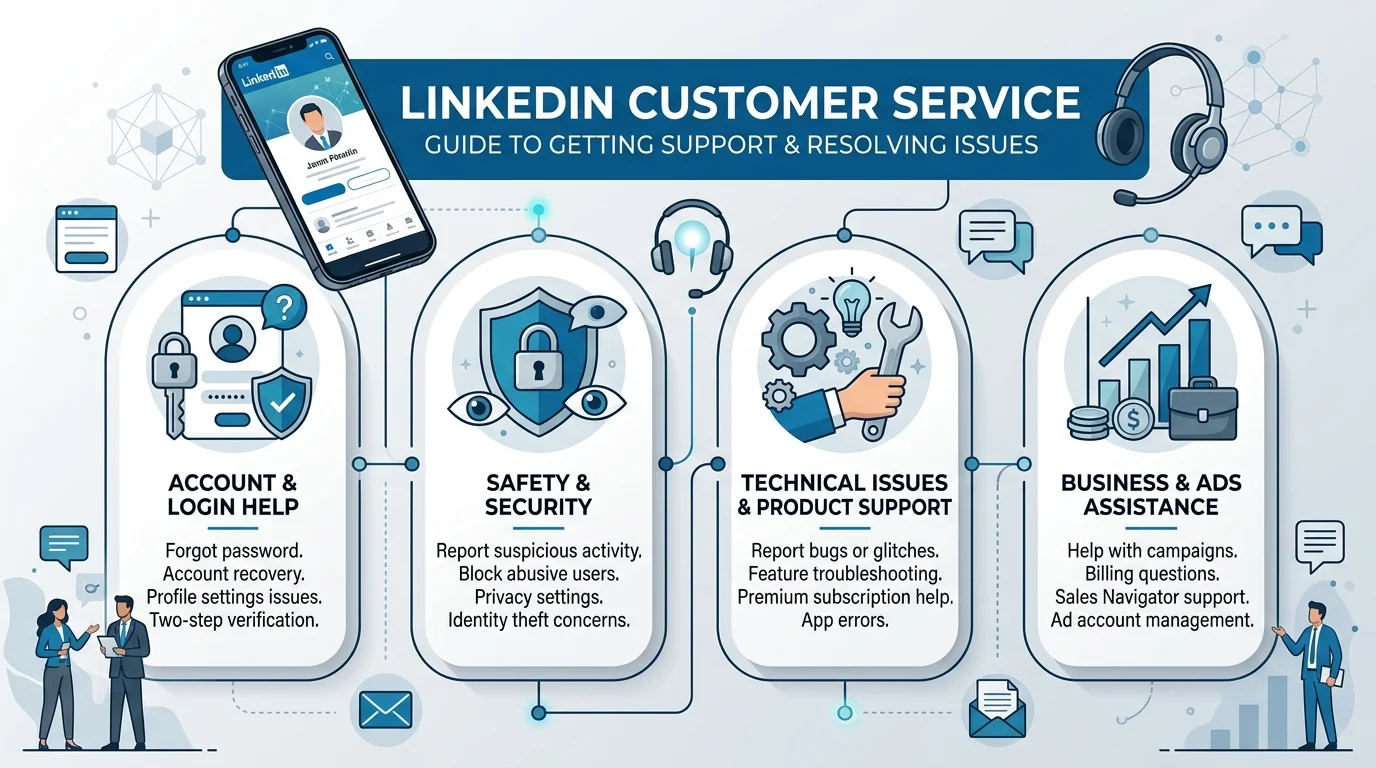
Before we get into the weeds, let's settle this properly. I want you to have the answer in the first thirty seconds, because you came here with a problem and you don't need a preamble. LinkedIn handles every single support interaction through its Help Center ticketing system — not a call center. There's no LinkedIn toll free number, no LinkedIn customer care number, no LinkedIn 800 number, no back door. Anyone telling you otherwise is selling something.
Straight from LinkedIn's own Help Center: they don't offer a phone number for customer support. They go further, warning that some websites advertise LinkedIn phone support for a fee, that those sites have no affiliation with LinkedIn, and that LinkedIn is actively working to take action against them.
So when you ask does LinkedIn have a phone number — corporate, yes. Support, no. Those are different things, and confusing them is how people get hurt.
Almost every listicle on this topic prints a 650 area code number with a confident little flourish. I'm not going to reprint it, and I want to explain that decision honestly, because you deserve to know why I'm withholding something other blogs hand over freely.
That number is LinkedIn's Sunnyvale corporate switchboard. As one long-running guide puts it, it goes to the main office.
Meaning: reception. Meaning: nobody who can unlock your account, process your refund, or review your appeal.
I'm leaving it out on purpose. Readers skim. Readers dial. And a LinkedIn contact number that rings a lobby desk isn't help — it's a dead end dressed up as a solution. The nonprofit consumer advocates at Elliott Advocacy, who verify company contacts on a rolling basis, list LinkedIn as offering neither phone nor email support. That's about as clear as it gets.
Now here's the part that actually worries me, and the reason I spent a full day researching a query most people answer in four hundred words. The fake LinkedIn support number ecosystem isn't a nuisance. It's organized fraud, it's profitable, and it has evolved specifically to catch people in the exact emotional state you're probably in right now — locked out, anxious, and ready to trust whoever picks up.
The numbers are not small.
According to the FTC's December 2025 report to Congress, older consumers alone reported $159 million in losses to tech support scams in 2024. That's one age bracket, one scam category, one year.
Zoom out and it gets worse. Total fraud losses reported by adults 60 and over rose roughly fourfold between 2020 and 2024 — from about $600 million to $2.4 billion. And because most fraud never gets reported at all, the FTC estimates the true 2024 cost to older adults sits somewhere between $10.1 billion and $81.5 billion depending on methodology.
Here's the detail that matters most for you: social media has become the top pipeline for scammers, with reported losses via social platforms increasing nearly ninefold since 2020.
The mechanics are worth understanding, because once you see the playbook you stop falling for it.
The FTC's guidance on tech support scams explains it plainly: scammers work to get their websites ranking in search results for support terms, and they run their own display ads too. They're hoping you call.
Then it gets worse.
Forbes reported on an FBI warning describing a newer tactic — planting fraudulent numbers online so that when someone asks an AI assistant to find customer support, the assistant serves back the scammer's line. Your chatbot becomes the delivery mechanism. That's the state of paid customer support scam sites in 2026.
And the FCC adds the other half of the picture: caller ID spoofing lets these operations display real corporate logos, addresses, and numbers on your screen. Their advice matches mine — verify support contacts only through pages you know are genuine.
Quick gut-check list. If you're already on a call and any of these happen, hang up mid-sentence. You owe a scammer nothing, not even politeness.
They ask for payment. LinkedIn never charges for support. Ever.
They request your password or a verification code. That code is how they take the account.
They want remote access to your device. Textbook remote access scam behavior.
They create urgency — "your account deletes in one hour."
They ask you to move money to "protect" it.
They transfer you to someone claiming to be from your bank or a government agency.
Okay. Deep breath. You've got legitimate options, and honestly, they resolve most issues faster than a phone queue would. I've ordered these by what I'd reach for first. Work down the list rather than firing off all four at once — duplicate tickets tend to slow things down, not speed them up.
Channel | Who Can Use It | Best For | Speed |
|---|---|---|---|
Help Center ticket | Everyone, free or paid | Restrictions, appeals, billing disputes, hacked accounts | Slowest, but the official record |
AI help assistant | Everyone | Password resets, cancellations, simple billing questions | Immediate |
Live chat | Premium, Sales Navigator, Recruiter | Anything urgent, if you qualify | Fastest human contact |
@LinkedInHelp on X | Everyone | Escalating a ticket that's gone quiet | Varies widely |
A note on timing: published response windows vary between third-party sources and LinkedIn doesn't guarantee them. Treat any specific figure you see elsewhere as an estimate, not a promise.
This is your foundation, and it's the channel I'd start with regardless of your issue. Everyone gets access — free account or paid, it makes no difference here. A ticket also creates a documented case ID, which becomes genuinely useful if you need to escalate later.
Go to linkedin.com/help/linkedin, scroll to Contact us, and open a case. Include your account email, a plain description of the problem, and any case ID you've already been given.
Be specific. Be short. Skip the emotion — it doesn't help your LinkedIn account restricted appeal.
Read the User Agreement and Professional Community Policies before you write a word. Identify which rule your activity may have touched, address it directly, and state what you'll do differently.
Vague appeals get vague outcomes. Our full walkthrough on what to do when your LinkedIn account is restricted covers the exact sequence, including what to write in the appeal itself.
Move fast. Reset your password, revoke active sessions, enable two-step verification, then file the ticket. Order matters — secure the account first, document second.
LinkedIn now routes first-line questions through an AI chat experience inside the LinkedIn Help Center. It's the fastest path for anything routine, and it costs you nothing to try before committing to a ticket.
For common stuff — LinkedIn password reset help, cancel LinkedIn Premium subscription, basic LinkedIn billing and payments support — it's genuinely quick.
For complex or account-integrity issues, it'll escalate you to a ticket anyway. No harm in starting here.
LinkedIn Premium support includes live chat, and this is the single biggest practical difference between free and paid accounts when something goes wrong. If you're weighing an upgrade, faster support access is a real part of the value — not the headline feature, but not nothing either.
Paying for Premium, Sales Navigator support, or LinkedIn Recruiter support? This is your fastest lane. Use it.
Not sure which tier you'd actually need? Our breakdown of LinkedIn Premium vs Sales Navigator compares what each plan includes so you're not paying for seats you'll never use.
LinkedIn Ads support and LinkedIn Learning support run through their own dedicated flows rather than the general consumer queue. If your issue is advertising billing or a course access problem, start there instead — you'll skip a routing step.
When a ticket goes quiet for days, @LinkedInHelp on X is the community-known escalation route. It's public, which is precisely why it sometimes works faster than the queue.
Be polite, reference your existing case number, and never DM your password or a verification code.
The LinkedIn help forum is a fifth option, though in practice it's peer discussion rather than staffed support. Useful for confirming a problem is widespread, less useful for resolving your specific case.
Separate track, separate tools. If your issue is that someone else is behaving badly — a cloned profile, a fraudulent recruiter, a phishing message — you don't need support at all. You need the reporting flow, which is faster and purpose-built for exactly this.
LinkedIn's guide to reporting spam, scams, and abusive content walks through it. Hit the More icon on the profile, post, or message, then Report/Block. For a LinkedIn job scam, report from the job details page and choose the scam, phishing, or malware option.
Reports are confidential. The person never learns it was you.
And if money changed hands, or you handed credentials to a fake line, file with the FTC at ReportFraud.ftc.gov, change every reused password, and contact your bank the same day.
Short answers to the questions people ask most around this topic. Mark this section up with FAQPage schema before publishing — it's the highest-value structured data on the page.
Does LinkedIn have a customer service phone number?
No. LinkedIn's Help Center states directly that it does not offer a phone number for customer support, and warns that sites advertising paid LinkedIn phone support are not affiliated with the company.
Can I email LinkedIn support?
Not directly. There's no public LinkedIn support email. Submitting a Help Center ticket generates an automated confirmation, and follow-up correspondence arrives at your registered address.
How long does a LinkedIn support ticket take?
It varies by issue type and volume. LinkedIn doesn't publish a guaranteed window, so treat third-party figures as estimates.
Is LinkedIn live chat free?
No. LinkedIn live chat support is limited to Premium, Sales Navigator, and Recruiter subscribers. Free accounts use tickets.
What should I do if I already called a fake LinkedIn number?
Disconnect immediately. Change your LinkedIn password and any reused passwords, enable two-step verification, run a security scan if you granted remote access, call your bank if payment details were shared, and report it at ReportFraud.ftc.gov.
How do I appeal a restricted LinkedIn account?
Submit a Help Center ticket, identify the policy involved, explain your case concisely, and include any case ID from LinkedIn's notification.
What is the 650 number I keep finding online?
LinkedIn's corporate headquarters switchboard. It does not handle customer support and will not resolve account issues.

Rachel Stanton is a tech writer who specialises in AI productivity tools for busy professionals. He tests and reviews the latest AI software so you can make smarter decisions about where to invest your time and money.
AIReplyBee is your AI-powered LinkedIn reply generator that helps you create authentic, engaging responses in seconds.
Generate your first replyWhat is a collaboration post? Learn how Instagram collab posts work, why they boost reach, and how to set one up step-by-step.
InMail on LinkedIn lets you message anyone, even outside your network. See how it works, pricing, credits, and tips to boost replies.
Learn how to use ChatGPT effectively with the PTCF framework, 7 practical steps, and a real before/after example that actually works.